
Welcome to GrowhtHub Knowledge Base Hub
Welcome to GrowhtHub Knowledge Base Hub
How to Integrate your Google Calendar and Zoom
Calendar Integration
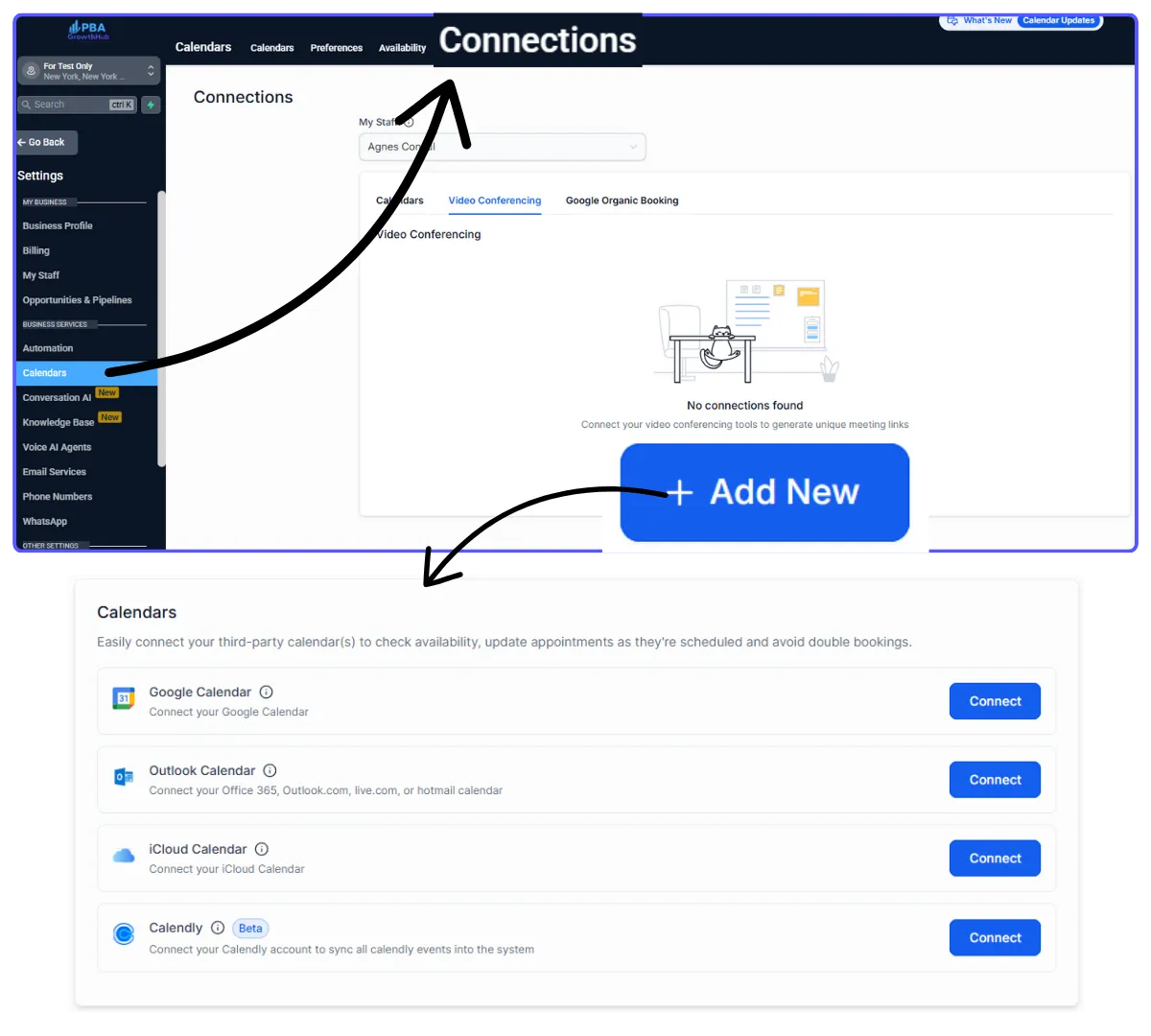
Go to Settings > Calendar > Connection
Click Video Conferencing tab > + Add New
Click Add on Linked Calendar, select your Google account > Click Save
Zoom Integration
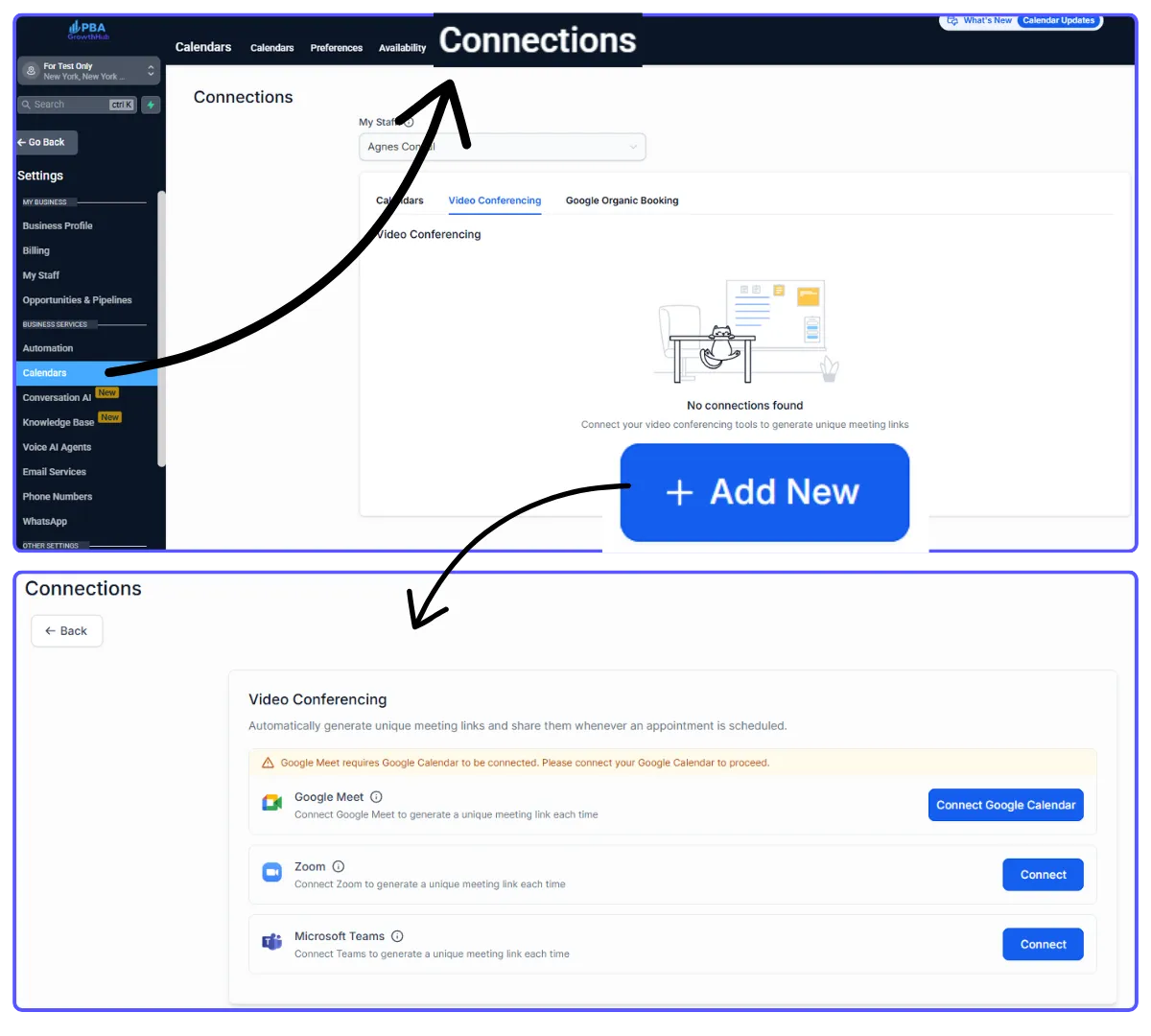
Go to Settings > Calendar > Connection
Click Video Conferencing tab > + Add New
Click Connect button. There will be a pop up window asking you to login to your Zoom account
How to Integrate your Google Calendar and Zoom
Calendar Integration
Go to Settings > Calendar > Connection
Click Video Conferencing tab > + Add New
Click Add on Linked Calendar, select your Google account > Click Save
Zoom Integration
Go to Settings > Calendar > Connection
Click Video Conferencing tab > + Add New
Click Connect button. There will be a pop up window asking you to login to your Zoom account