
Welcome to GrowhtHub Knowledge Base Hub
Welcome to GrowhtHub Knowledge Base Hub
Domain Funnel Linking & DNS Setup
Step 1: Add Your Domain
Go to Settings, then Domains, and click Add Domains.

Step 2: Enter your domain name (e.g., yourwebsite.com) or a subdomain (e.g., shop.yourwebsite.com), then click Continue.
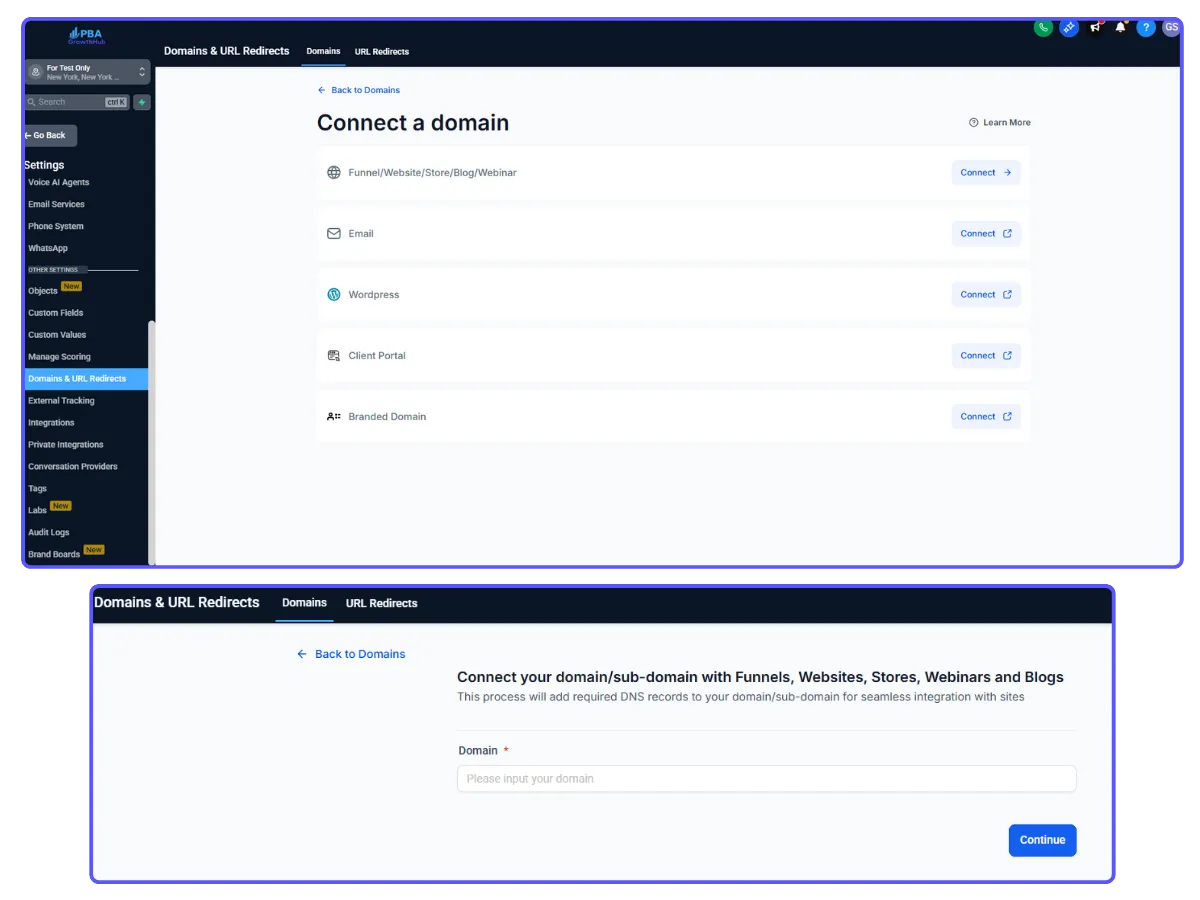
If you're using a main domain, copy the A record value: 34.68.234.4.
If you're using a subdomain, copy the CNAME record value: site.ludicrous.com.
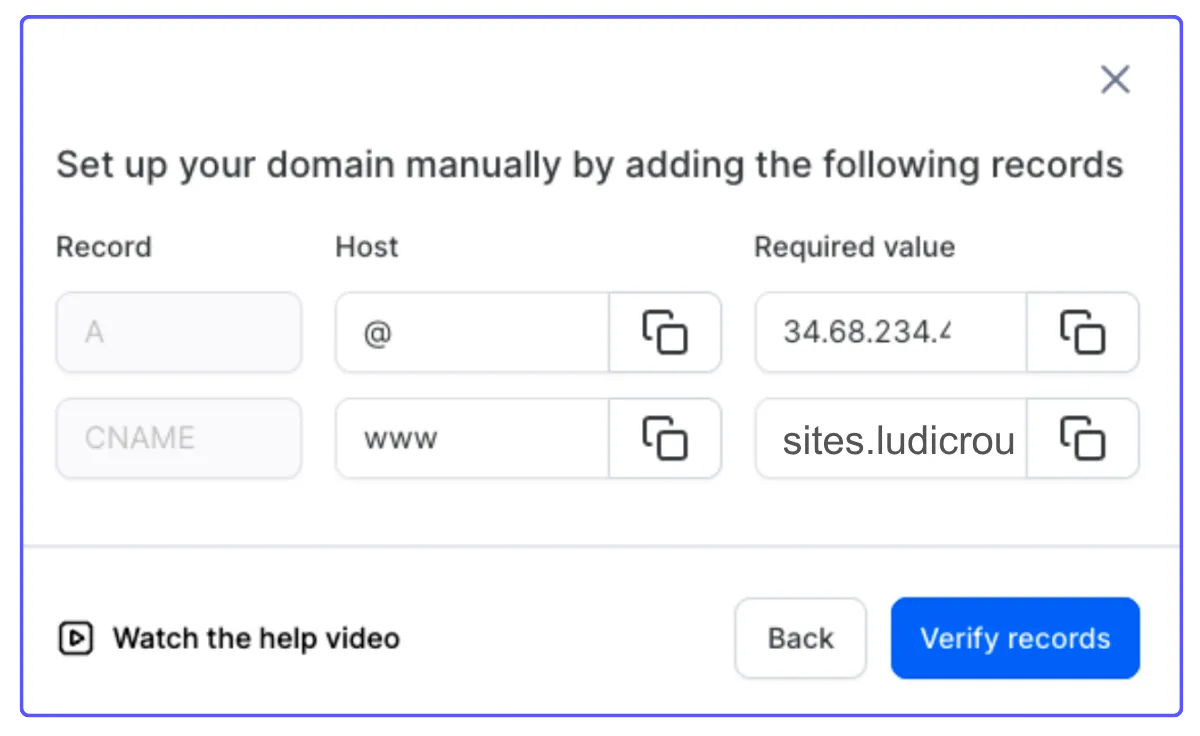
Step 3: Update DNS at Your Domain Registrar
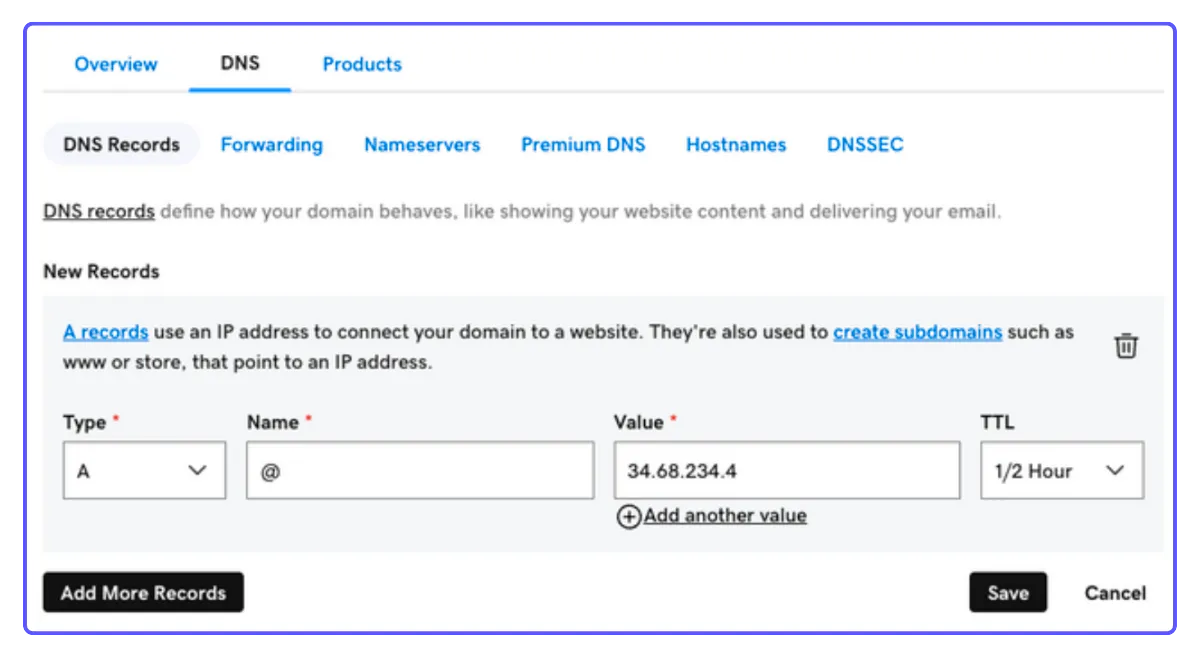
Look for your domain’s DNS then click on Manage.
1. Log in to your domain provider's website (like GoDaddy).
2. Find your domain's DNS settings and choose to Manage them.
3. Add the DNS record you copied:
For a main domain, put @ in the "Name" field, paste the value you copied into the "Value" field, and set "TTL" to 30 minutes (or ½ hour). Click Save.
Step 4: Verify Your Domain
Note: It can take from 5 seconds to 48 hours for these changes to update. Keep clicking "Verify records" until it shows as successful.
Step 5: Link to Your Funnel
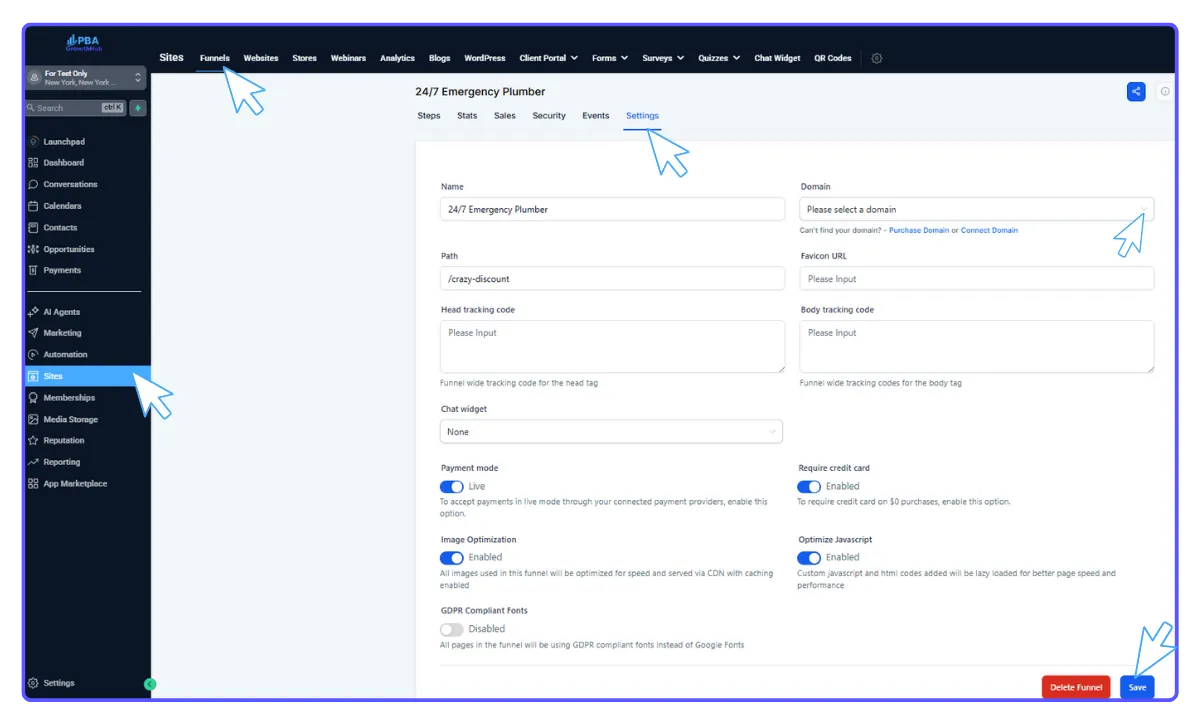
Once verified, you can connect it to your funnel. Go to Sites, then Funnels, and pick your funnel.
Click Settings, select the domain you just added, and click Save.
Step 6: Test your funnel
Open your web browser and go to the domain you just set up to confirm your funnel is loading correctly.
Domain Funnel Linking & DNS Setup
Step 1: Add Your Domain
Go to Settings, then Domains, and click Add Domains.
Step 2: Enter your domain name (e.g., yourwebsite.com) or a subdomain (e.g., shop.yourwebsite.com), then click Continue.
If you're using a main domain, copy the A record value: 34.68.234.4.
If you're using a subdomain, copy the CNAME record value: site.ludicrous.com.
Step 3: Update DNS at Your Domain Registrar
Look for your domain’s DNS then click on Manage.
1. Log in to your domain provider's website (like GoDaddy).
2. Find your domain's DNS settings and choose to Manage them.
3. Add the DNS record you copied:
For a main domain, put @ in the "Name" field, paste the value you copied into the "Value" field, and set "TTL" to 30 minutes (or ½ hour). Click Save.
Step 4: Verify Your Domain
Note: It can take from 5 seconds to 48 hours for these changes to update. Keep clicking "Verify records" until it shows as successful.
Step 5: Link to Your Funnel
Once verified, you can connect it to your funnel. Go to Sites, then Funnels, and pick your funnel.
Click Settings, select the domain you just added, and click Save.
Step 6: Test your funnel
Open your web browser and go to the domain you just set up to confirm your funnel is loading correctly.