
Welcome to GrowhtHub Knowledge Base Hub
Welcome to GrowhtHub Knowledge Base Hub
How to Update Your Account Wallet or Payment Method
On your GrowthHub account, you'll need to add or update a valid payment method so usage-based services (such as Email, Phone, AI, and other billable services) can continue without interruption.
Update the Account Payment Method
Step 1: Open the Account
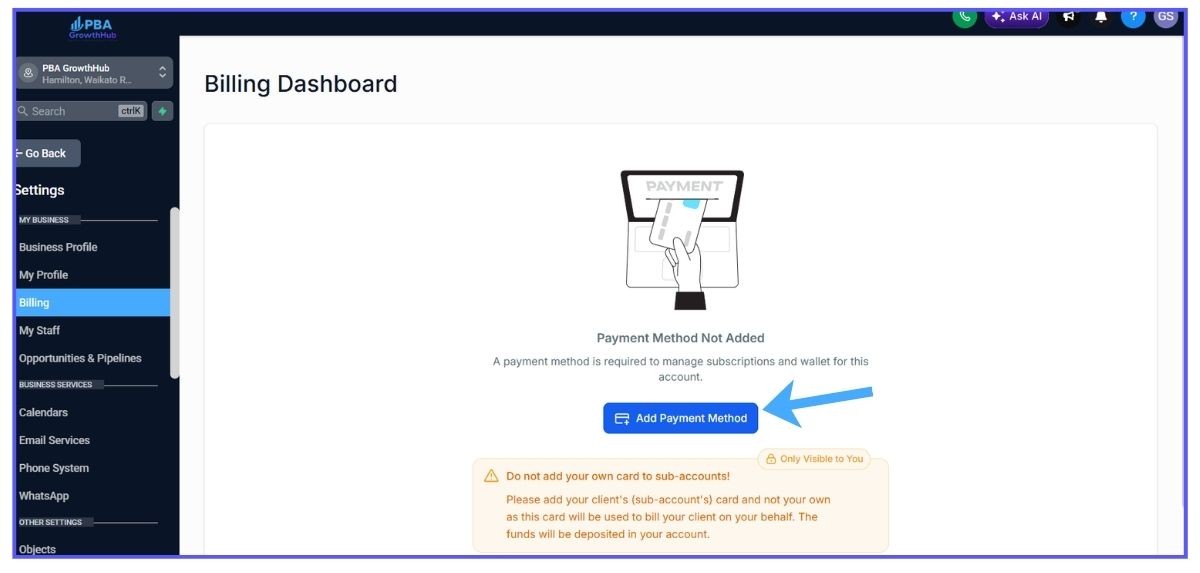
Go to settings click BillingAdd a new debit or credit card
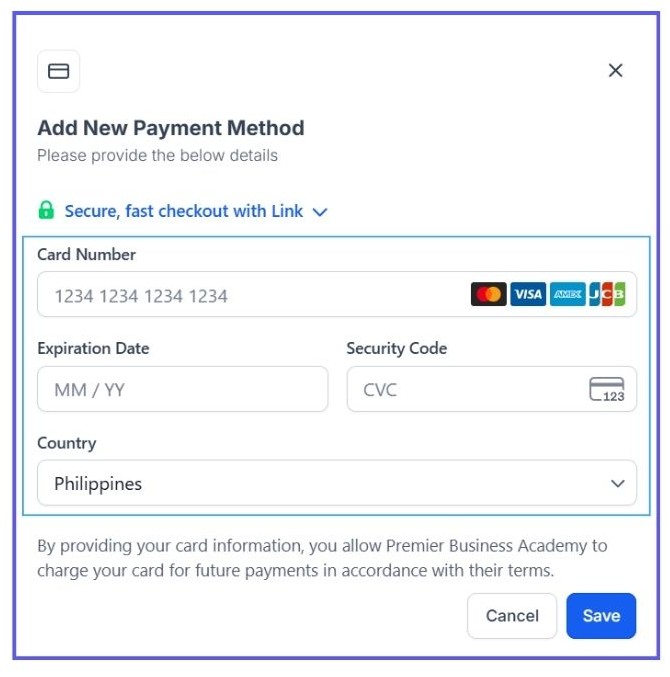
Once a valid payment method has been added, the account wallet can automatically reload whenever the balance reaches its configured threshold.
How the Wallet Works
Your Account Wallet is preloaded with credits.
As your account uses services like:
Email
Phone
AI Features
Premium Actions
Other usage-based services
credits are deducted from the wallet.
When the wallet reaches the minimum balance you've configured, your saved payment method is automatically charged to reload the wallet.
How to Update Your Account Wallet or Payment Method
On your GrowthHub account, you'll need to add or update a valid payment method so usage-based services (such as Email, Phone, AI, and other billable services) can continue without interruption.

Update the Account Payment Method
Step 1: Open the Account
Go to settings click BillingAdd a new debit or credit card
Once a valid payment method has been added, the account wallet can automatically reload whenever the balance reaches its configured threshold.
How the Wallet Works
Your Account Wallet is preloaded with credits.
As your account uses services like:
Email
Phone
AI Features
Premium Actions
Other usage-based services
credits are deducted from the wallet.
When the wallet reaches the minimum balance you've configured, your saved payment method is automatically charged to reload the wallet.